Icons Architecture
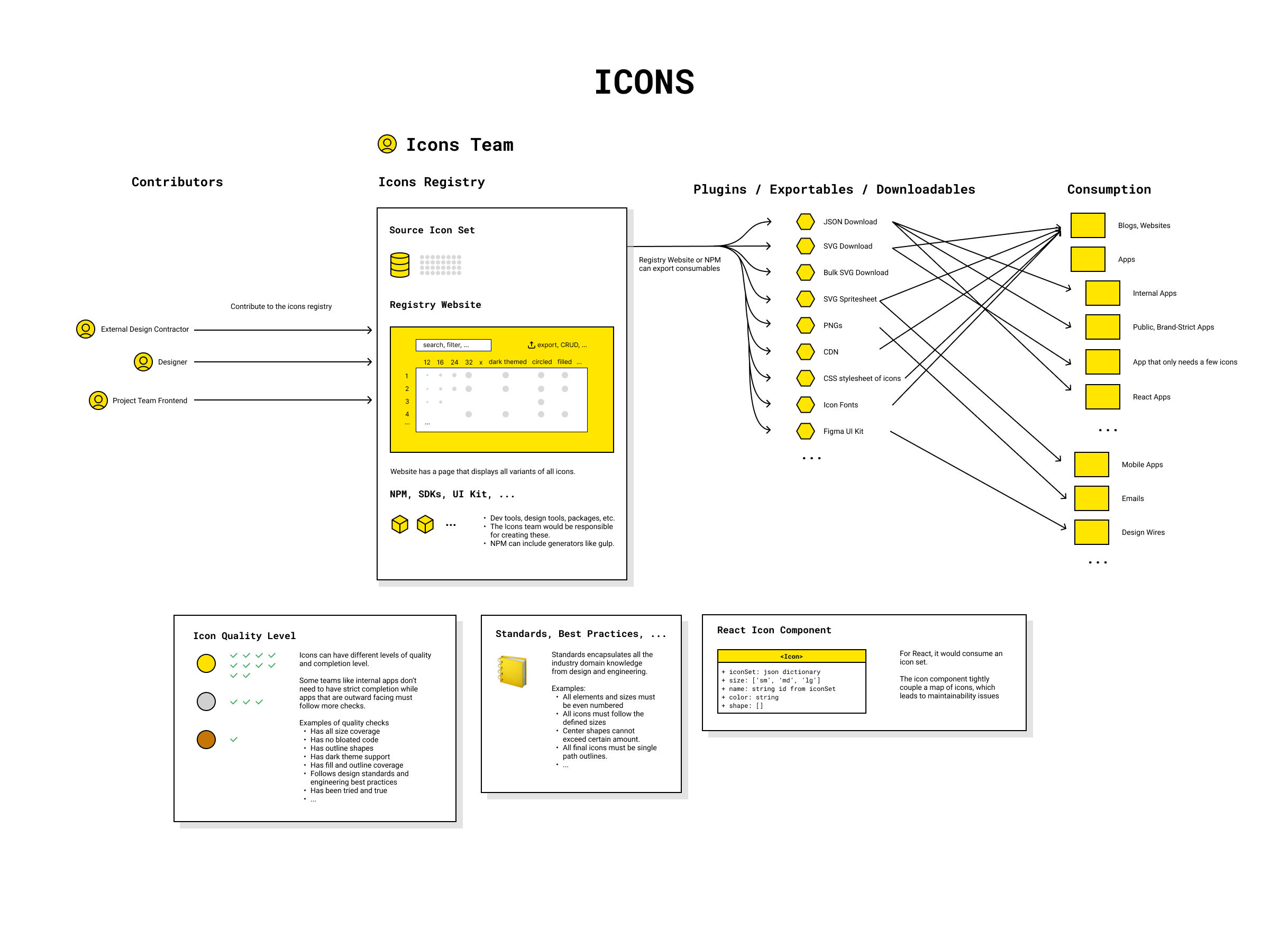
About Icons Architecture
Icons was a bottom-up initiative from Indeed to help improve the ecosystem of icons.
It existed because us devs and designers from at least 5 different teams got in a room and said that the icons are terrible and we wanted change.
For this initiative, I defined a vision of a business flow to improve the user experiences and fix the system.
Problems
- Lack of consistency and standardization
- Many teams manually creating their own icons
- The existing library was frustrating to use
- Maintainability was a pain point
Main Flow
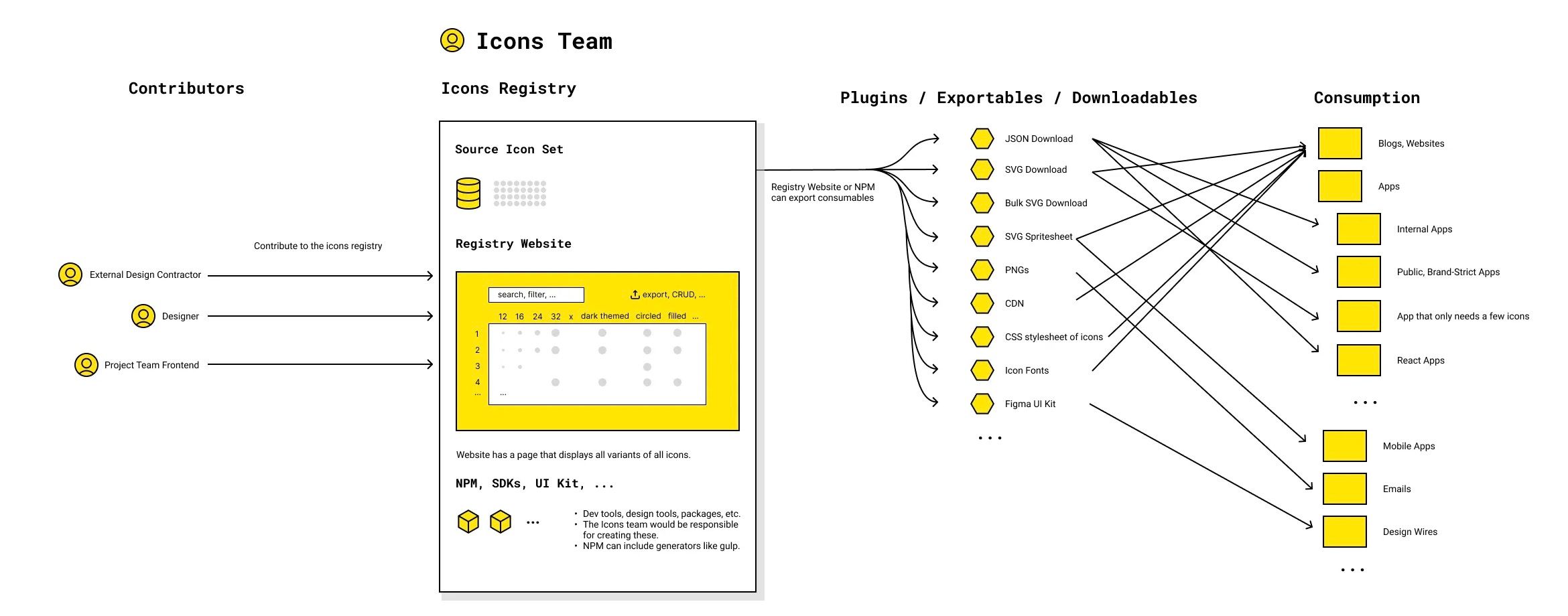
Contributors contribute icons to a central registry of icons.
Through the website or tools run by the icons team, icon users can consume exported icons in many different formats suitable to their project needs.
The icons team is responsible for scaling the quality of icons across the company by defining and aggregating standards and best practices, providing tools and resources to everyone, and building two-way relationships to understand teams' needs and requirements and incorporate them into system-level improvements.
Benefits
- With a system, teams are no longer reinventing the icons from project to project.
- Standardization and unified brand is created.
- Speed and quality is afforded.
Why invest in icons: How a system improves
In the face of deadlines, most teams face a dilemma: should they work "quick and dirty" or do things "the right way?" Speed and quality is a tradeoff.
In a normal project, it's common sense that optimizing icons is not a priority. But in a system point of view, it's common sense to invest in something that creates speed and quality for all as effortless as a push of a button.
When an organization consistently makes system-level investments like this, teams move away from a world of speed or quality to a world of speed and quality, and the company operates on higher level of efficiency and excellence.
Exportables: How an architect thinks
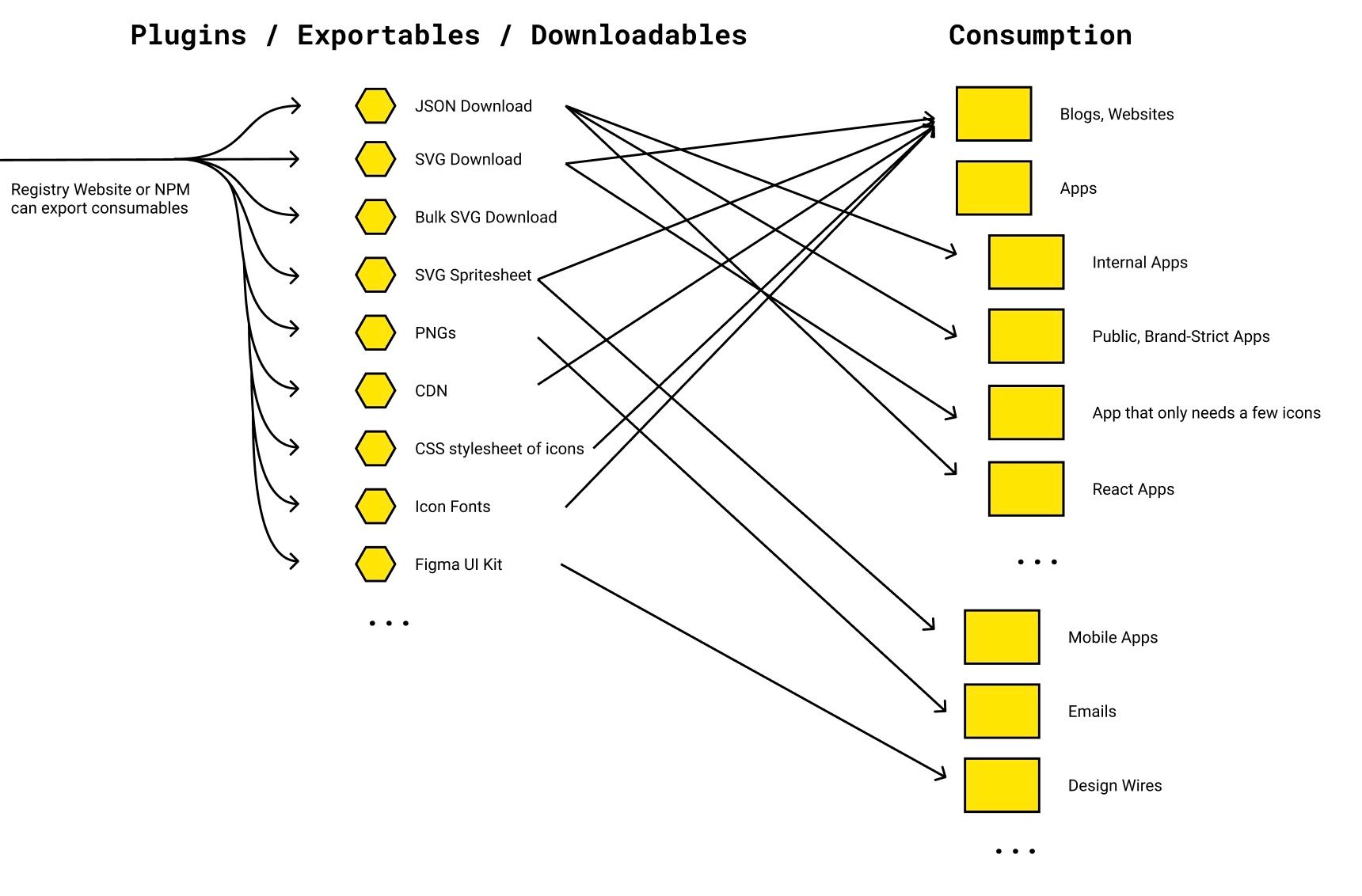
As an architect, one of the problems I try to solve is how to include all use cases, anticipated and unanticipated. This diagram piece is about shotgunning all possible consumable formats to visualize anticipated and unanticipated needs and solutions scalably.
Unanticipated use cases takes a different way to think but can create business value.
- Sometimes there are unforeseen nuanced use cases like the Japanese character-based pagination buttons from my pagination component.
- Sometimes providing a capability that didn't exist before opens up possibilities and enables teams to do things they didn't consider before. Especially if they were in the "world of speed or quality".
Sometimes solutions that limit the scope prevents it from being holistic, inclusive, or scalable. While you can't always prove the value of unanticipated use cases due to reasons like survivorship bias, considering the unanticipated allows for scalability, inclusion, unforeseen use cases, and hidden opportunities.
React Icon Component and Separation of Concerns
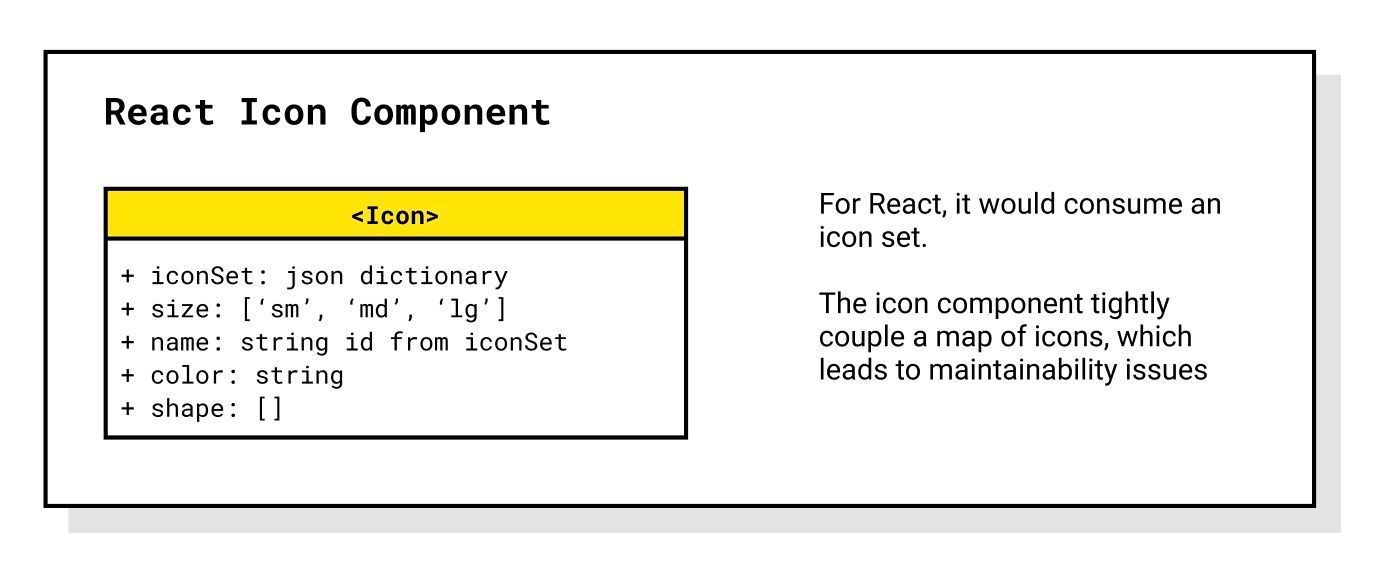
Before the icons initiative, the existing icons in React had icon svgs stored directly in the <Icon> component itself.
This design flaw is a root cause for why teams created one-offs.
- If you need an icon that's not in the component, you would either create your own one-off or follow the contribution process, which can slow down your project.
- Every time you use the
<Icon>
Why is this wrong?
- Having the icons stored in the
<Icon>is actually a root cause for why teams created one-offs. If you need an icon that's not in the component, you would either create your own one-off or follow the contribution process, which can slow down your project. - It's not performant. You won't use all the icons, but the app would load all svg's every time you render an Icon component.
- It's not scalable. If other teams contribute icons to the Icon component, that would inflate the icon component in your project even more, creating ties. This coupling creates unwanted ties.
Instead of making <Icon> contain all svg icons, <Icon> takes in a set of icons (like a json).
The set of icons could be a custom set (some of your own icons or some icons from the registry).
The set of icons can be dynamically generated and exported for project use and the dynamic generation is general purpose enough to support custom icons for project teams.
Dynamic generation can be done with generators like Gulp or Webpack.
With the new separation of concerns...
- Icons are more interoperable and customizable.
- The bad couplings from before are removed so things are more maintainable.
<Icon>is more performant than before.